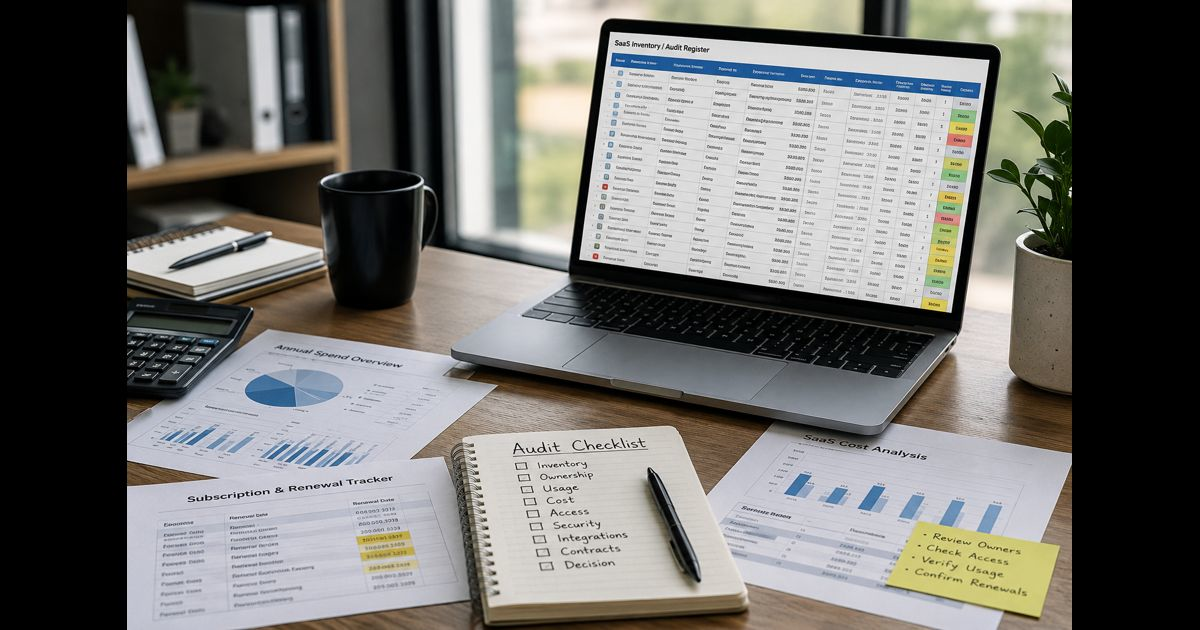
A SaaS tool audit checklist for small business helps an owner or manager determine which cloud applications the company uses, what they cost, who can access them, which data they hold, and whether each one should be kept, changed, consolidated, or retired.
The objective is not simply to cancel subscriptions. A cheap application can create serious risk if a former contractor still has administrator access. A lightly used platform may remain essential because it stores financial records or runs a customer-facing process. An expensive application may be good value if it replaces hours of repetitive work. Every decision must account for cost, usage, security, data, and operational importance.
A small company can conduct the audit with a spreadsheet and access to its payment records, email accounts, identity platforms, and major application dashboards. The first review may take several hours, but it creates a reliable software register that makes later reviews faster and safer.
What a SaaS Audit Should Accomplish
A completed audit should answer five practical questions:
- Which SaaS applications are used or paid for?
- Who owns each application and who has access?
- What business function, data, and integrations depend on it?
- Does its cost, plan, and license count match actual use?
- Should it be kept, secured, downgraded, consolidated, replaced, or retired?
The result should be a decision for every application, an owner for every action, and a deadline for completing it. A list without decisions is only an inventory, not a completed audit.
SaaS Tool Audit Checklist at a Glance
Use this sequence for each review:
- Define the audit period and responsible person.
- Collect subscriptions from every payment source.
- Identify free, trial, employee-purchased, and invoice-billed applications.
- Build one master SaaS register.
- Assign a business owner and technical administrator.
- Record the purpose and operational importance of each application.
- Compare paid, assigned, and active seats.
- Calculate comparable monthly and annual costs.
- Identify overlapping features and duplicated workflows.
- Review administrator roles, dormant accounts, and external access.
- Confirm multifactor authentication and sign-in controls.
- Record the type and sensitivity of stored data.
- Review integrations, API keys, automation, and connected accounts.
- Check renewal dates, notice periods, and cancellation terms.
- Assess vendor reliability, support, export options, and recovery needs.
- Decide whether to keep, optimize, consolidate, replace, or retire.
- Export required data before making destructive changes.
- Remove access and revoke integrations when retiring an application.
- Record completed actions and schedule the next review.
1. Set the Scope Before Collecting Data
Choose a clear review period and one person who is responsible for maintaining the register. Include all browser-based and cloud-hosted applications used for company work, not only subscriptions paid from the main business card.
The scope should cover:
- Monthly and annual subscriptions
- Usage-based platforms
- Free applications holding company data
- Free trials that may convert to paid plans
- Add-ons and premium extensions
- Mobile applications billed through app stores
- Applications purchased by employees or contractors
- Tools bundled with another service
- Client-provided platforms used by the business
- AI assistants and applications with embedded AI features
Free tools belong in the audit when employees use them to store documents, customer details, credentials, conversations, source code, or other business information. No recurring charge does not mean no exposure.
2. Find Every Application the Business Uses
Payment records provide a useful starting point, but they do not reveal the complete software environment. Review at least 12 months of transactions if annual subscriptions are common.
Check:
- Business bank accounts
- Corporate and employee credit cards
- PayPal and other payment services
- Accounting records and expense reports
- Apple and Google app-store subscriptions
- Vendor invoices and purchase orders
- Email receipts and renewal notices
- Browser extensions
- Google Workspace or Microsoft 365 connected applications
- Single sign-on directories
- Password manager entries
- Team communications about new tools
Search company inboxes for billing language such as “invoice,” “receipt,” “subscription,” “trial,” “renewal,” and “payment.” Ask employees which applications they use daily, occasionally, or only for particular clients.
Compare these sources instead of relying on memory. An application can be in active use without appearing in company transactions, while another can continue charging even though nobody remembers it.
3. Build a Complete SaaS Register
Record enough information to support decisions without turning the register into an unmanageable database.
|
Field |
What to record |
|
Application |
Vendor, product, and current plan |
|
Business purpose |
The work or outcome it supports |
|
Business owner |
Person accountable for its value |
|
Administrator |
Person controlling settings and access |
|
Users |
Paid, assigned, and recently active seats |
|
Cost |
Monthly equivalent and annual total |
|
Billing |
Payment method and billing frequency |
|
Renewal |
Date, notice period, and cancellation deadline |
|
Data |
Main information stored or processed |
|
Integrations |
Connected applications, APIs, and automation |
|
Criticality |
Low, moderate, high, or essential |
|
Decision |
Keep, optimize, consolidate, replace, or retire |
|
Action owner |
Person responsible for the next step |
|
Deadline |
Date the action must be completed |
Record the legal vendor name when it differs from the product name. This helps reconcile an unfamiliar charge with the application that produced it.
Every application also needs an identifiable owner. “Marketing,” “operations,” or “IT” is not sufficient accountability. If nobody can explain why an application exists, who uses it, or what would happen if it disappeared, flag it for investigation.
4. Establish the Application’s Actual Purpose
Write one clear sentence describing the job each application performs. Avoid vague descriptions such as “productivity” or “collaboration.”
A useful purpose statement identifies:
- The business activity supported
- The employees or customers affected
- The output produced
- The reason another current application cannot perform the same job
Before evaluating an application, map the business process it supports. This reveals whether the software is essential to the work, compensating for a poorly designed process, or duplicating a function already available elsewhere.
Ask the owner what would stop, slow down, or become manual if the application were unavailable for a day. The answer provides a more reliable measure of importance than login frequency alone.
5. Compare Paid Seats With Meaningful Use
Review paid seats, assigned seats, and active users separately:
- A paid but unassigned seat can usually be removed.
- An assigned seat may belong to someone who has left.
- A recent login does not necessarily represent productive use.
- A rarely used account may still be necessary for monthly or quarterly work.
Use an activity period appropriate to the application. Thirty days may suit daily collaboration software, while 90 days or a complete business cycle may be more appropriate for tax, payroll, reporting, or seasonal platforms.
Where possible, examine:
- Last meaningful activity
- Documents created or updated
- Projects or records accessed
- Automations executed
- Reports generated
- Storage consumed
- Features actually used
- Guest and viewer activity
Calculate seat utilization as:
Seat utilization=active userspaid seats×100text{Seat utilization} = frac{text{active users}}{text{paid seats}} times 100
Do not use the percentage as an automatic cancellation rule. It is a signal that prompts a closer review.
6. Calculate the Full Cost
Normalize monthly, annual, per-user, and usage-based pricing into comparable figures. Record taxes, mandatory add-ons, premium support, storage overages, implementation fees, and other recurring charges where applicable.
Useful calculations include:
Annual software cost=recurring fees+expected usage chargestext{Annual software cost} = text{recurring fees} + text{expected usage charges} Cost per active user=total cost for the periodactive userstext{Cost per active user} = frac{text{total cost for the period}}{text{active users}}
The subscription price alone does not establish value. Consider:
- Employee time saved
- Manual errors prevented
- Revenue or customer service supported
- Specialist work avoided
- Downtime reduced
- Compliance or recordkeeping needs
- Training and administration time
- Switching and migration costs
A low-use platform may justify its cost if it protects an essential process. Conversely, a frequently opened application may provide little value if employees maintain the real records elsewhere.
7. Identify Duplicate and Overlapping Tools
Group applications by the work they perform rather than by vendor category. Common areas of overlap include:
- File storage and document collaboration
- Video meetings
- Project and task management
- Customer relationship management
- Email marketing
- Scheduling
- Forms and surveys
- Reporting and analytics
- Design and video creation
- Password management
- AI writing and research
- Workflow automation
Feature overlap alone is not enough to justify consolidation. Compare actual requirements, adoption, accessibility, security controls, data portability, integration support, and migration effort.
Choose a primary application for each important capability. If two remain necessary, document the distinct purpose of each. This prevents the same comparison from being repeated at every audit.
8. Review Users, Roles, and Administrator Access
The access review is one of the most important parts of the audit. Inspect user lists directly in administrative dashboards where possible.
Check for:
- Former employees and contractors
- Duplicate accounts
- Unused guest accounts
- Shared user accounts
- Personal email addresses
- Unnecessary administrator roles
- Accounts without multifactor authentication
- Service accounts with unknown owners
- Invitations that were never accepted
- External agencies that no longer work with the company
Use individual accounts instead of shared credentials whenever the application supports them. Restrict administrator access to people who need it and ensure the business controls at least two recovery-capable admin accounts for critical platforms.
Removing a paid seat should not be confused with removing access. A downgraded, suspended, guest, or free account may still be able to view or export company information.
9. Examine Sign-In and Recovery Controls
For applications holding sensitive or essential information, verify:
- Multifactor authentication is available and enabled.
- Company-controlled email addresses are used.
- Single sign-on is configured correctly where practical.
- Recovery methods do not depend on a former employee.
- Backup codes are stored securely.
- Passwords are unique and managed appropriately.
- Login notifications and security logs are available.
- Inactive sessions and devices can be revoked.
- Administrator actions can be reviewed.
Small businesses should prioritize strong controls for email, accounting, payroll, password management, cloud storage, customer records, and any platform that can reset access to another system.
10. Record the Data Each Vendor Holds
Classify the information stored or processed by each application. Relevant categories may include:
- Customer contact information
- Employee records
- Financial information
- Payment-related data
- Health information
- Contracts and legal records
- Credentials and authentication data
- Confidential business documents
- Source code or intellectual property
- Audio, video, and meeting transcripts
- Prompts and files submitted to AI features
Confirm why the application needs the data, who can access it, how long it is retained, and whether it can be exported or deleted. Review current vendor documentation for important privacy, security, retention, and data-processing commitments.
Legal requirements depend on location, industry, contractual promises, and the information involved. Sensitive or regulated data may require professional legal, privacy, or security review rather than a checklist-only decision.
11. Audit Integrations, Automation, and API Access
Applications can retain access to business data even when employees stop opening them. Review integrations from both sides: inside the SaaS application and inside the platform to which it is connected.
Inspect:
- OAuth connections
- API keys and access tokens
- Webhooks
- Browser extensions
- Email and calendar permissions
- Cloud-storage connections
- CRM and accounting integrations
- Automated data transfers
- Third-party plug-ins
- AI assistants connected to company repositories
- Service accounts and bot users
For each connection, record its owner, purpose, permission level, and operational effect. Remove unused connections and rotate credentials when an owner leaves or a token may have been exposed.
Before disconnecting anything, determine which forms, reports, notifications, customer journeys, or internal workflows rely on it. An apparently unused application may still be running an essential background process.
12. Evaluate Vendor and Continuity Risk
The audit should establish whether the business could continue operating if a vendor experienced an outage, changed its product, raised prices, or closed.
For important applications, review:
- Service status and incident communication
- Support channels and response expectations
- Backup and recovery options
- Data export formats
- Account ownership
- Administrative logs
- Security documentation
- Subprocessor information where relevant
- Product changes or planned discontinuation
- Dependency on proprietary formats
- Availability of a workable alternative
Critical records should not exist solely in a platform from which the company cannot obtain a usable export. Test an export rather than assuming the presence of an export button guarantees complete, readable data.
13. Review Contracts and Renewal Conditions
Record the actual decision deadline, not only the billing date. Some agreements require notice well before renewal or contain minimum commitments that cannot be ended through an account dashboard.
Check:
- Monthly or annual commitment
- Automatic-renewal provisions
- Required cancellation notice
- Price-change terms
- Seat-reduction deadlines
- Minimum license count
- Usage commitments
- Data export fees
- Post-cancellation access
- Refund policy
- Data deletion schedule
- Contract end date
Create reminders early enough to review usage, negotiate terms, reduce seats, export information, and migrate safely. A larger or operationally important system may need several months of preparation.
14. Give Every Tool a Clear Decision
Use a limited set of decision labels:
Keep
The application serves a current purpose, has an accountable owner, provides reasonable value, and has acceptable controls.
Optimize
The application remains useful, but seats, storage, add-ons, permissions, billing, or plan level should be adjusted.
Consolidate
Another approved application can meet the same requirement with acceptable migration effort and risk.
Replace
The capability remains necessary, but the present vendor no longer meets cost, security, usability, support, or operational requirements.
Retire
The application is no longer needed, provided its data, integrations, records, and access are handled safely.
Investigate
Evidence is insufficient for a responsible decision. Assign a specific question, owner, and short deadline. Do not allow “investigate” to become a permanent status that leads to automatic renewal.
15. Retire SaaS Tools Without Losing Data or Breaking Work
Cancellation should be the final step, not the first. Before retiring an application:
- Confirm which employees and workflows still use it.
- Identify integrations and automated processes.
- Export necessary records in a usable format.
- Verify the export opens and contains the expected information.
- Move records to an approved location.
- Notify affected users.
- Update documented procedures.
- Revoke API keys, tokens, and connected-app permissions.
- Remove users and administrator access.
- Cancel the subscription through the required channel.
- Save confirmation and the final service date.
- Request data deletion where appropriate.
- Check later statements for further charges.
For an essential platform, prepare and test the replacement before ending access. Keep a rollback option until the new workflow has been proven under normal operating conditions.
A Practical Scoring Method
A simple score can help prioritize review, but it should support judgment rather than replace it. Rate each area from 1 to 5:
|
Area |
Low score |
High score |
|
Business value |
Little current benefit |
Essential measurable benefit |
|
Adoption |
Few intended users active |
Intended users consistently active |
|
Cost efficiency |
Poor value for total cost |
Strong value for total cost |
|
Security control |
Weak or unknown controls |
Appropriate verified controls |
|
Data suitability |
Unnecessary or poorly governed data |
Suitable, controlled data use |
|
Operational fit |
Duplicate or disruptive |
Fits the workflow well |
|
Portability |
Difficult to export or replace |
Data and processes are portable |
A high total can support retention. A low total indicates closer review, not automatic deletion. An application with weak security or unacceptable data handling may require action even if its overall total appears satisfactory.
How Often Should a Small Business Audit SaaS Tools?
A practical schedule is:
- Conduct a full audit at least once a year.
- Review costs, seats, owners, and upcoming renewals quarterly.
- Review access whenever an employee or contractor leaves.
- Assess important applications before renewal.
- Review new integrations when they are authorized.
- Reassess tools after a major process, staffing, or ownership change.
- Check trials before they convert to paid plans.
- Review critical vendors after a significant security or availability incident.
Fast-growing companies or businesses that frequently adopt new software may need monthly checks of new purchases, trials, and account access.
Controls That Prevent SaaS Sprawl
An audit corrects existing problems. Lightweight governance reduces their return.
Establish these rules:
- Every application must have a named business owner.
- New purchases require a recorded purpose and expected users.
- Sensitive data may only be entered into approved applications.
- New integrations require an identifiable owner.
- Trial end dates must be recorded when the trial begins.
- Annual renewals must be reviewed before the cancellation deadline.
- Offboarding must cover applications, integrations, and owned records.
- Important applications must have documented recovery and export procedures.
- The SaaS register must be updated when a tool is purchased, changed, or retired.
A small business does not need a complicated procurement department to apply these controls. It needs consistent ownership, a reliable register, and decisions made before commitments renew.
Frequently Asked Questions
What should be included in a small-business SaaS audit?
Include paid subscriptions, free tools holding company data, trials, add-ons, employee-purchased applications, connected apps, browser extensions, integrations, and invoice-billed platforms. Review purpose, ownership, usage, cost, access, data, contracts, integrations, and business dependence.
Can a SaaS audit be completed with a spreadsheet?
Yes. A well-maintained spreadsheet is usually sufficient for a small software environment. Dedicated management software may become useful when the number of applications, employees, legal entities, or payment sources makes manual discovery unreliable.
Should unused SaaS accounts be deleted immediately?
Not before checking their data, ownership, integrations, retention duties, and effect on workflows. Export required information, revoke connections, notify affected users, and preserve cancellation evidence before completing deletion.
Should free SaaS tools be audited?
Yes, when they hold company data, connect to company accounts, influence business processes, or grant access to employees and third parties. Their financial cost may be zero while their security and continuity consequences are significant.
Who should own the SaaS audit?
One person should maintain the central register, but individual applications should have named business owners. Finance can verify spend, application administrators can verify access, and managers can confirm operational value. Important privacy, legal, or security issues may require specialist review.
How can a business tell whether two SaaS tools are duplicates?
Compare the actual work completed in each application, not their feature lists alone. Evaluate active users, required capabilities, records held, integrations, accessibility, security, and migration effort. Two similar products may still serve different legitimate workflows.
What is the safest way to cancel a SaaS subscription?
Confirm dependencies, export and test the required data, move workflows, revoke integrations, remove access, follow contractual cancellation requirements, save confirmation, and check subsequent statements. Critical systems should be replaced and tested before access ends.
Final Thoughts
A SaaS tool audit checklist for small business should produce more than a lower subscription bill. It should give the company a verified record of its applications, accountable ownership, appropriate access, clearer renewal decisions, and a safe method for retiring tools.
The most valuable outcome is control. The business knows which platforms support its work, which information leaves its environment, who can reach that information, what each service truly costs, and what must happen if a vendor is no longer suitable. That visibility reduces waste without sacrificing security, records, or operational continuity.