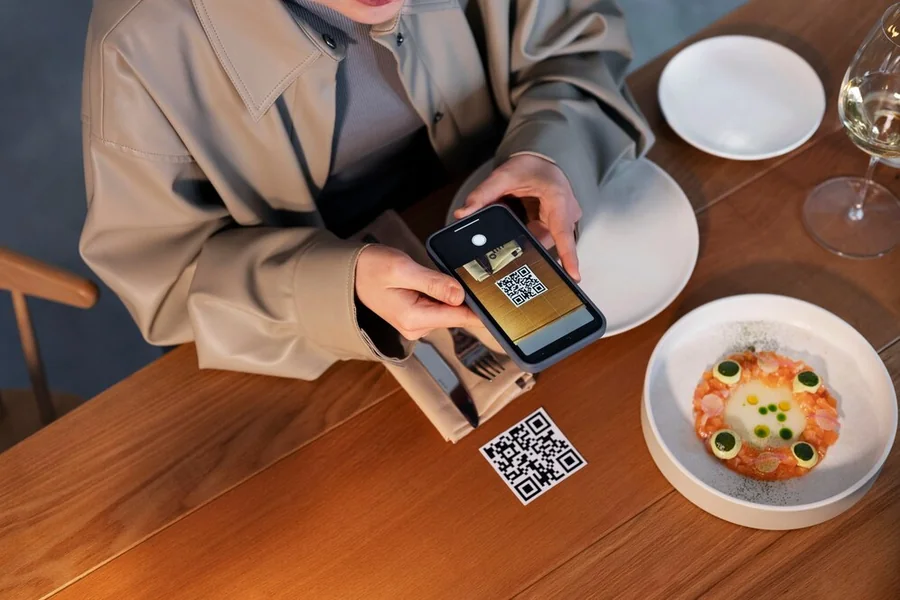
The chair beside the window may be beside the bar tomorrow. If a repair note identifies it only by location, the note can stop being useful as soon as staff rearrange the room. A small label attached to the chair gives the report a lasting reference. Its value comes from connecting that reference to a clear action.
Tracking commercial restaurant seating with QR codes can make repair reporting easier when each scan opens the correct item record. The system still needs people to inspect furniture, remove questionable pieces from use, and approve their return. A code can carry information between those steps. It cannot make the judgment or perform the repair.
Begin with an identity that survives a room change
Give every tracked item a unique identifier that stays with it throughout its service life. Print that identifier beside the code and keep it short enough to read aloud. When a phone cannot scan the label, employees can still find the record by searching for the identifier or reporting it to a supervisor.
Decide what counts as an item before attaching labels. A complete chair is easy to identify. A booth with replaceable seats, or a table that may receive a different base, needs a clearer policy. State whether the identifier applies to the whole assembly or an individual component. Without that distinction, repair history may follow the wrong part.
Avoid embedding the current table number in the permanent identity. Location can be a field that staff update. Product model, purchase details, and relevant instructions belong in the underlying record, where they can remain available after a dining-room rearrangement or a manager’s departure.
Make reporting shorter than looking for a manager
Ask for information that helps someone respond to the problem. The scanned link can supply the item identifier automatically. Employees can describe what they saw, attach a useful photograph, and say where they have placed the item. They should not have to diagnose a joint or identify an unfamiliar component before submitting a report.
Use simple descriptions, such as movement in the back, a missing glide, or damage to the seat surface. Leave an open text field for problems outside the list. A form that defines every possible answer too narrowly may lead employees to report only the defects its designer expected.
The submission should reach someone who is responsible for action. A confirmation message that says “received” is helpful, but it should not imply that the item is safe to use. Tell staff what to do immediately under the restaurant’s procedure, particularly when a concern requires removal from the dining room.
Put the label where it can be used
A label under the seat is discreet, but reaching it may be awkward. Check whether staff can scan the code without turning an occupied chair or putting someone in an uncomfortable position. On some models, a frame label may be easier to reach. It must still leave room for cleaning and moving parts and keep the furniture’s own identification visible.
DENSO WAVE’s QR documentation describes four levels of error correction. Higher correction can help with some damage but can also increase the symbol’s size. It does not mean that a poorly printed or heavily damaged label will remain readable. Trial the actual label material and printing method before applying it throughout the room.
Test scans under the restaurant’s lighting and after normal cleaning, using the approved products. Check that contrast remains clear and that the label does not peel at an edge. Keep a way to reprint an identical identifier so that replacing a worn label does not create a duplicate furniture record.
Before labeling the other furniture, check that the printed identifier, scanned record, and physical chair agree. Compare the model and photograph with a colleague, then correct mismatches before relying on the item’s repair history.
Keep repair information behind appropriate access
A QR code provides a convenient way to reach information, but it does not control access. Anyone who can see the label may be able to scan it. The destination must show only information that the person is authorized to view. Keep staff contact details, supplier account information, and internal repair notes private even when the label itself is accessible.
The FTC’s advice on QR-code scams applies here because a code can lead to a deceptive website. Teach employees to recognize the restaurant’s expected domain and report labels that look altered. Direct codes to a destination the business controls and understands. An unfamiliar link-shortening service adds another destination for staff to assess.
Permissions should match the job. Reporting a defect need not grant the ability to erase history or mark a repair complete. Keep administrative access limited, remove accounts when roles change, and maintain a fallback reporting method for a lost phone or unavailable connection.
Give employees a clear route for reporting a suspicious link as well as a damaged chair. The supervisor should know whom to contact if a label leads somewhere unexpected. Staff can report the furniture identifier through the fallback method while the destination is checked, without continuing to use a questionable link.
Separate the report from permission to use the chair
A useful record follows the decisions made about an item. An employee reports a concern, the responsible person reviews it, and the furniture is repaired, replaced, or otherwise dealt with. Record the decision to return it to service, including who authorized that decision under the restaurant’s maintenance procedure.
Choose status labels that staff cannot easily misunderstand:
- Reported, awaiting review.
- Removed from service.
- Repair in progress.
- Approved for return or permanently retired.
The record should match what has happened to the furniture. A chair marked out of service in the app may still be returned to the floor if someone leaves it among usable stock. Choose a suitable holding area and a visible way to prevent accidental reuse. Employees should find the same status in the record and in the room.
Do not approve a repair automatically when a deadline passes. A repair provider’s silence does not establish that the work is finished. Follow the manufacturer’s advice on structural or other safety concerns, with qualified repair support where needed. Preserve that advice in the record so that a tick box does not replace the actual instructions.
When closing a report, record the action taken and the person who authorized the result. A replaced glide, a supplier-approved repair, and a retired chair need different notes. Keep the original observation visible alongside the resolution so a later manager can understand what changed. A photograph may help identify the work, but it should not stand in for the required inspection.
Use the history to improve the next purchase
Repeated reports can reveal where the restaurant needs to investigate. Several worn glides may indicate a maintenance pattern, while damage in a particular location may result from contact with nearby furniture. Treat these as leads to examine. The pattern alone does not establish a product defect or show that an employee caused the damage.
Compare items with similar use before drawing conclusions. A chair used throughout service has a different history from a spare that is rarely occupied. Notes about movement, cleaning, and location help explain the difference. Inspect the affected furniture and discuss the pattern with the supplier or maintenance provider before changing purchasing policy.
NIST’s cybersecurity framework emphasizes governance, a useful reminder that even a small system needs an owner. Assign responsibility for maintaining access, exporting records, and checking that the destination remains available. When management changes, the next person should receive usable maintenance information. Labels tied to a departed employee’s account may leave the restaurant unable to maintain its own records.
A Scan Should Lead to a Finished Job
Start with a manageable group of furniture and watch how employees use the process. Revise confusing fields and awkward label positions before expanding. The test is whether a report reaches the right person, the affected item stays identifiable, and its final disposition can be checked.
A QR label is useful when it helps the restaurant complete routine maintenance tasks consistently. Give employees a straightforward reporting route, appropriate access, and clear instructions for handling affected furniture. The resulting history stays attached to the item, so moving a chair across the dining room does not separate it from its repair record.